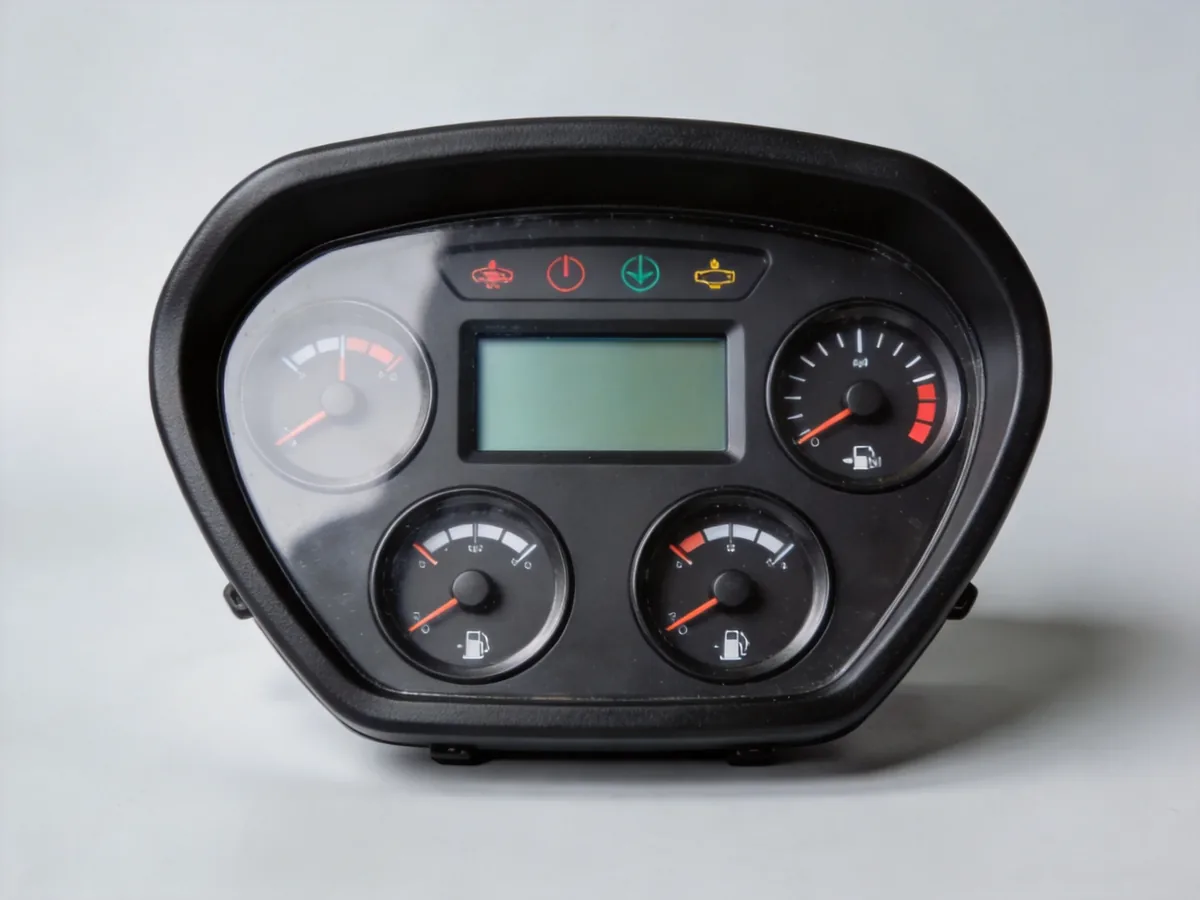
Identify a forklift display by its complete part reference, truck model and serial number, installed functions and documented interface. A similar screen or matching connector is insufficient: the offered unit may need vehicle-specific software, configuration or a different housing.
Begin with the truck plate and the installed instrument label. Retain the manufacturer, full model, serial number, component reference and every visible suffix. Ask for label photographs already available in the service record, together with the front, rear and mounting arrangement. Preserve ambiguous characters rather than silently correcting them. A supplier response should quote the full proposed reference and explain any superseded number using a traceable document. A brand name alone leaves the purchasing requirement unresolved.
More guidance for this step
Separate the display functions
Write down what the existing unit is intended to show: operating status, hours, battery information, warnings or an application-specific monitoring function. Curtis publishes several programmable instrument families with different communication and interface features. That variety is the useful lesson, not a universal replacement list. Ask which existing functions the proposal retains and which are absent. A standalone meter, integrated dashboard and wireless receiver monitor belong to different enquiries even when sellers call each one a display.
Resolve software and network scope
For a networked instrument, request the documented protocol, application configuration and revision basis applicable to the truck. Do not assume that a CAN label establishes message compatibility or that an unconfigured display will reproduce the original screens. Ask who supplies the required configuration, what evidence connects it to the serial range and whether commissioning is included. Keep any unresolved software dependency visible in the comparison. This page is a purchasing guide and does not prescribe programming, wiring or diagnostic operations.
More guidance for this step
Specify housing and included accessories
Clarify whether the offer covers a bare display, a panel with enclosure, mounting hardware, sealing parts, keys or an associated harness. Ask for the proposed dimensional drawing and connector designation rather than judging compatibility from photographs. A lower price for a bare panel should not be compared directly with a complete instrument assembly. Record the source of each dimension and mark undocumented details unknown. The illustration here identifies a category; it cannot establish any of these dimensions.
Use the Hangcha case within its boundary
The linked MHDX-W7221 page retains a CQD20-XD3-JI serial-number case and its recorded part reference. Use that case to understand why a wireless receiver monitor deserves its own identification record. Do not extend the reference to all Hangcha trucks, all CQD20 configurations or every dashboard. A new request still needs its own truck identity and assembly evidence. Keep the specific case separate from a general display shortlist so its useful detail is not lost.
More guidance for this step
Compare a documented supply proposal
Require the supplier to state the exact item, new or used condition, configuration status, enclosure scope, supporting documents, warranty route and delivery basis. Separate a published catalogue reference from a current written offer. A dark screen or unreadable display does not, by itself, prove that replacing the panel is the correct repair. Keep workshop diagnosis and technical approval outside the purchasing shortlist. Accept a proposal only after the relevant reviewer has resolved the documented identity and application differences.
Supplier profiles for this requirement
These company routes are tied to readable manufacturer or company-controlled material reviewed on 3 October 2026. Use the stated scope to begin a shortlist. A profile does not establish current stock, certification, authorisation or a match for your truck.
Its company catalogue lists display instruments and panels under Linde, Still and Jungheinrich references. Use this aftermarket research route with the full label and truck identity. The catalogue does not confirm software, included housing, brand authorisation or current availability.
For additional candidates, use the parts supplier directory. Ask each supplier to return the exact proposed item, condition, included documents, unresolved differences, quantity, destination and current delivery terms. Keep technical acceptance separate from commercial availability.
Separate a weighing display from the vehicle dashboard
Wanpu publishes a TLX60 forklift weighing-system entry. This is an additional instrument-system enquiry route, not a replacement source confirmed for a vehicle dashboard. Ask whether the offer includes a display alone or the defined weighing system, and request sensor, harness, software and mounting scope. Keep the installed weighing reference separate from the truck instrument label. The manufacturer’s broader crane-monitoring catalogue does not establish CAN message compatibility, truck screen functions, calibration or safety approval for a forklift.
Original company-controlled bodies reviewed on 4 October 2026. Inclusion confirms a research route; it does not confirm inventory, authorization or fitment.
Can I replace a panel with one that looks identical?
Appearance is only a discovery clue. Resolve the complete code, revision, documented interface, application configuration and mounting scope before accepting a replacement.
Does a matching CAN interface prove compatibility?
No. A communication label does not identify the vehicle messages, configuration or supported functions. Request application-specific evidence for the proposed instrument.
Is the Hangcha monitor reference valid for every CQD20?
No. The linked case has a defined model and serial-number boundary. Another truck requires its own identity and parts documentation.
What belongs in a display quotation?
The exact reference, condition, software and configuration scope, included housing and accessories, documents, unresolved differences, warranty and current delivery terms.
Primary-source notes · reviewed 3 October 2026
The references below support the stated category and identification examples. Manufacturer marketing statements are not treated as independent tests. No model-specific operating values, repair procedures or performance promises are inferred for another machine.
Manufacturer instrumentation families and interface examples: https://www.curtisinstruments.com/products/can-serial-instrumentation-programmable
Company-controlled display catalogue; product references are supplier claims: https://www.dechaparts.com/?s=display&post_type=product
Prepare a parts matching request
Send the equipment identity, complete component reference, existing drawings or label photos, requested scope, quantity and destination. Mark missing information unknown and ask suppliers to answer the same written requirement.